Condition record determination for PPF actions
Within this blog post I take a look into the technical part of condition record determination for PPF action schedule and start conditions. So on a high-level I will basically answer the question about how to get from a condition record to a scheduled or executed action?
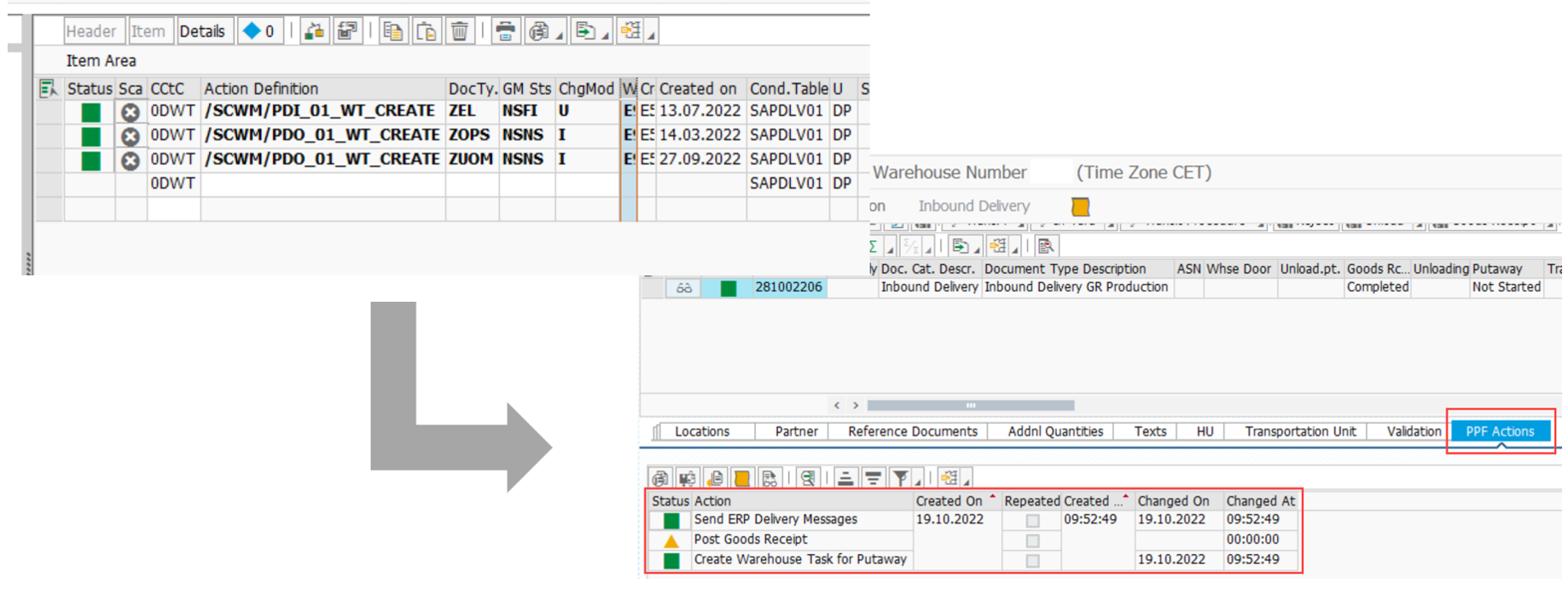
As a practical example I decided to take the determination in the context of action conditions for delivery documents. A very similar approach is valid for any other PPF application in EWM which is using condition records in order to schedule or start its actions (e.g. actions on Handling Unit, Physical Inventory Document or Warehouse Order -level in the area of the ‘Warehouse Management Engine’).
You can expect answers to the following technical questions within this blog post:
- Where does EWM call the condition record determination (some examples)?
- What needs to be done in order to implement a custom logic to consider additional fields?
- How does EWM compare the given object with the given condition records?
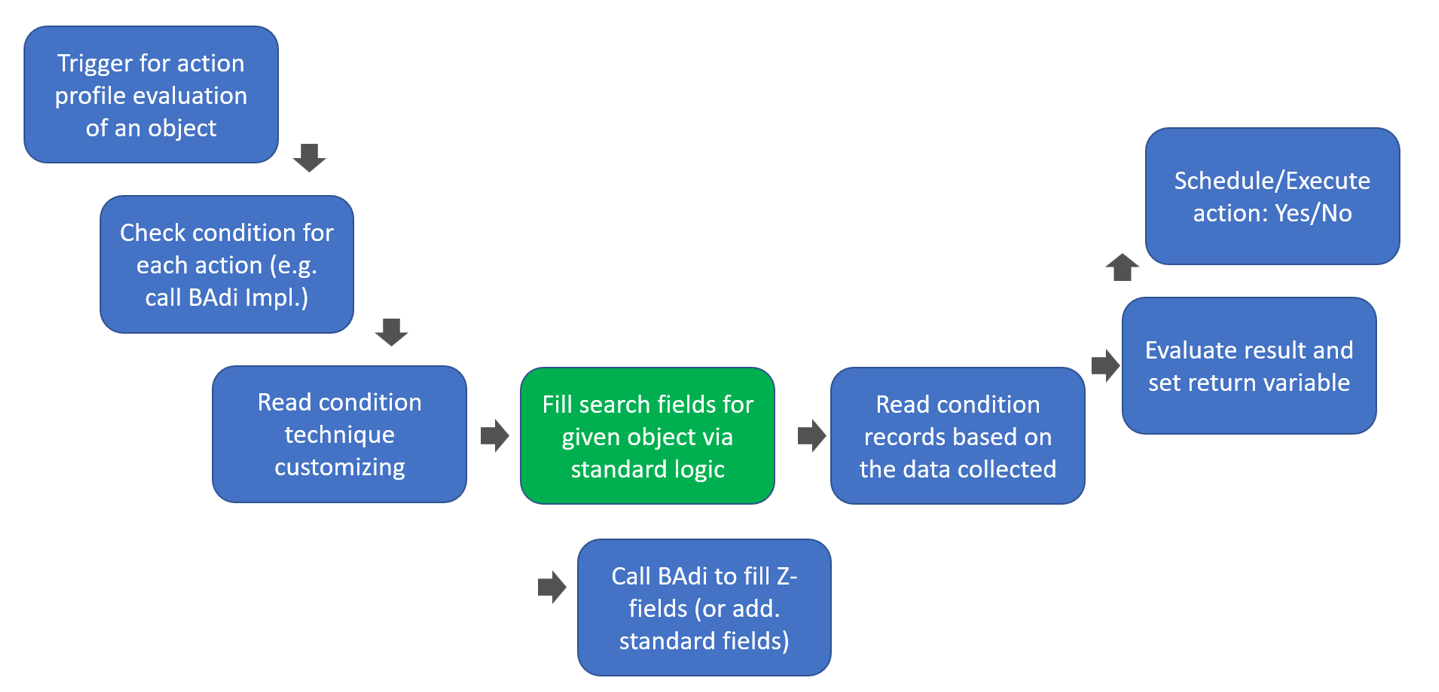
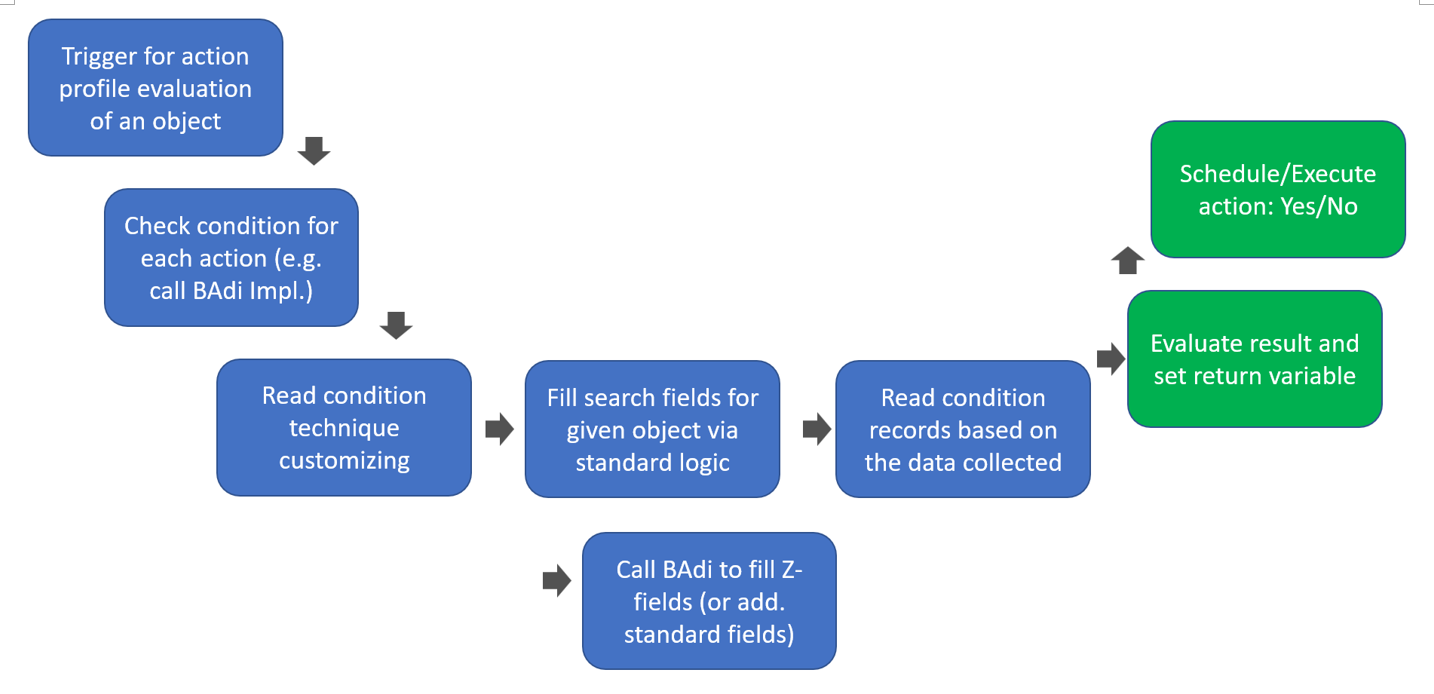
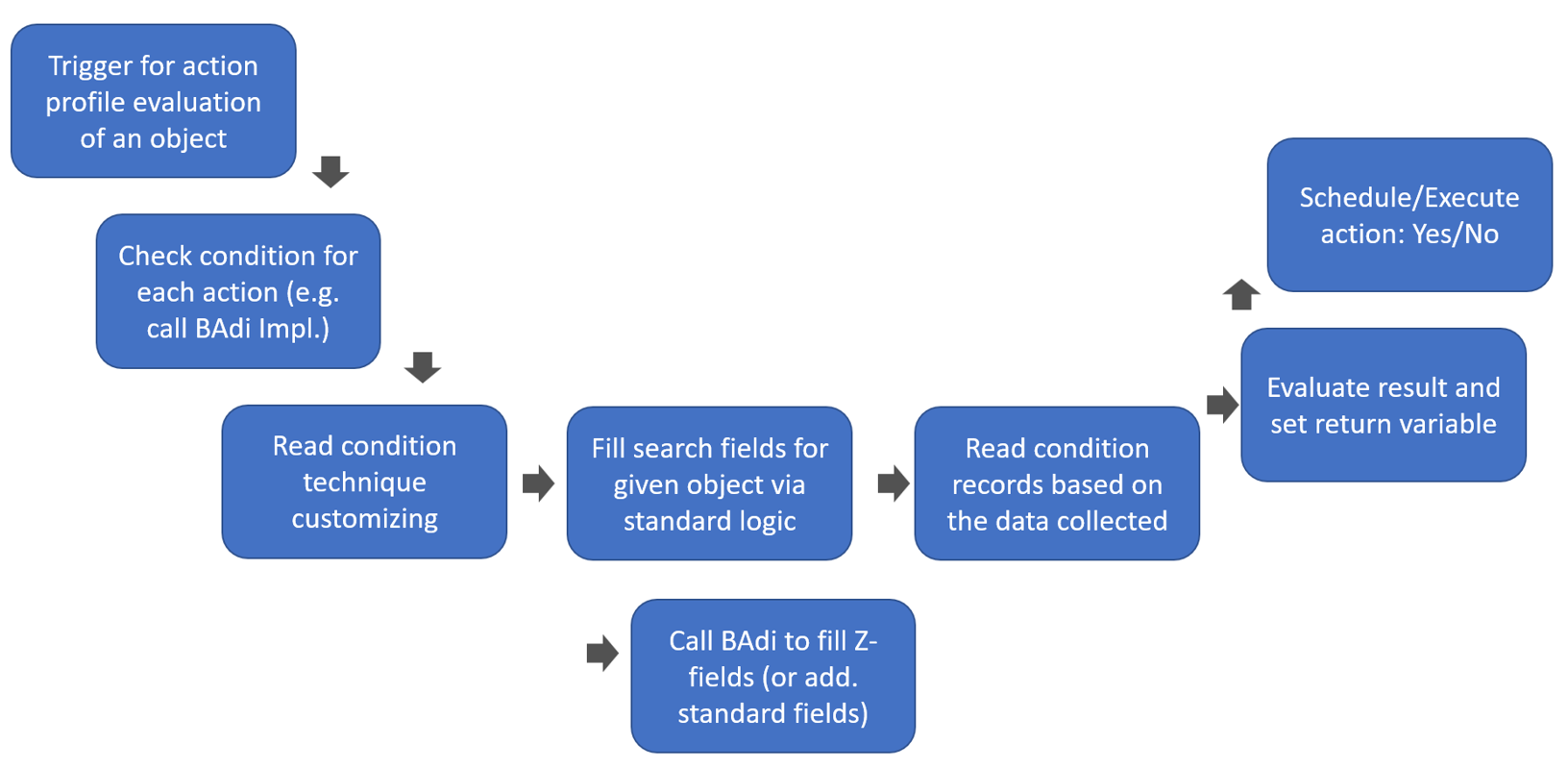
Logical flow of the process that I will tackle within this post:
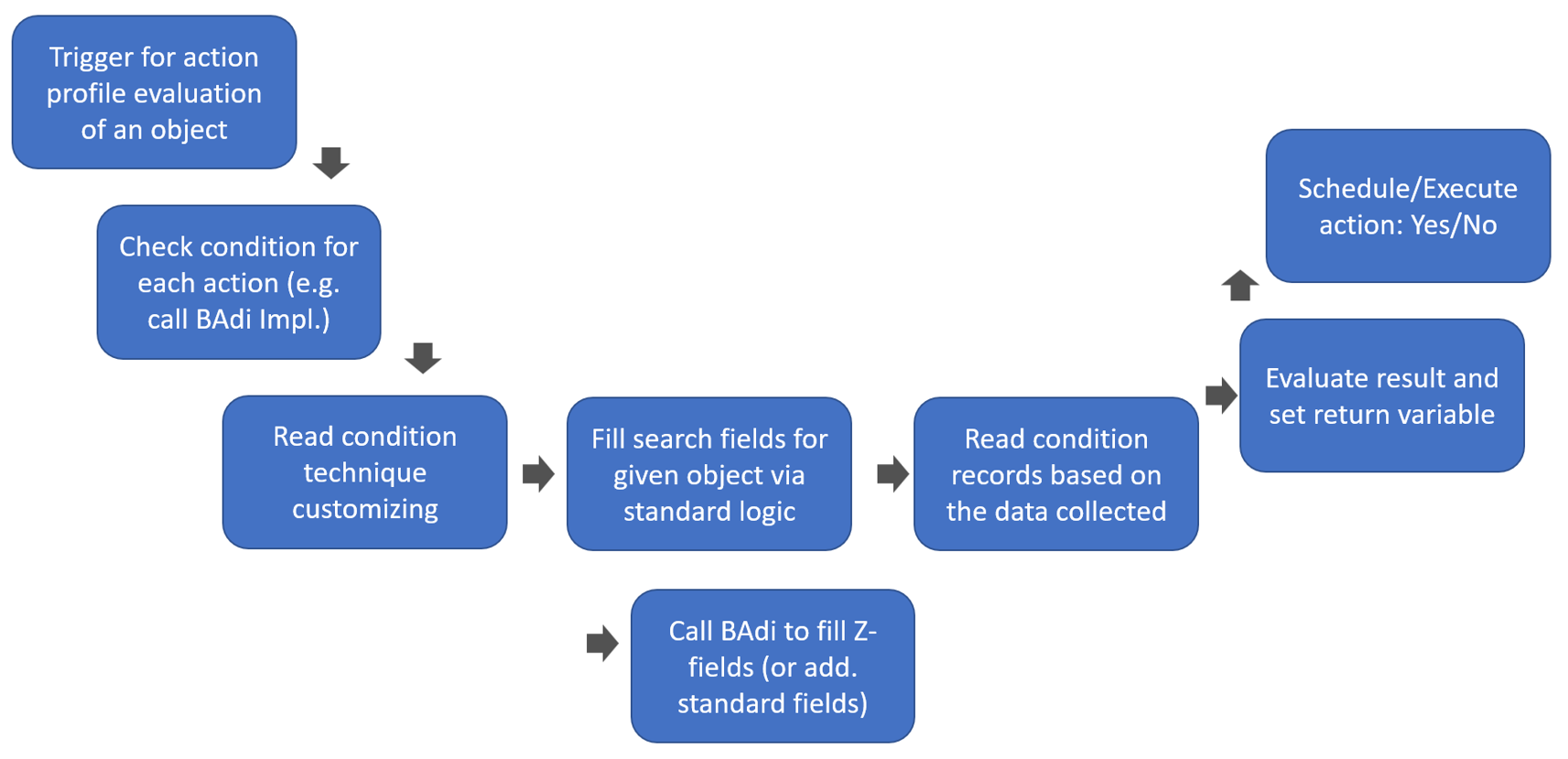
Condition records in the context of PPF actions in EWM are being evaluated for schedule and start conditions. As the name says – these conditions decide whether a given action is to be scheduled at all and whether it should be executed right away or not. The logic behind those conditions is defined via implementations of the BAdi EVAL_SCHEDCOND_PPF (for schedule conditions) and EVAL_STARTCOND_PPF (for start conditions) respectively:
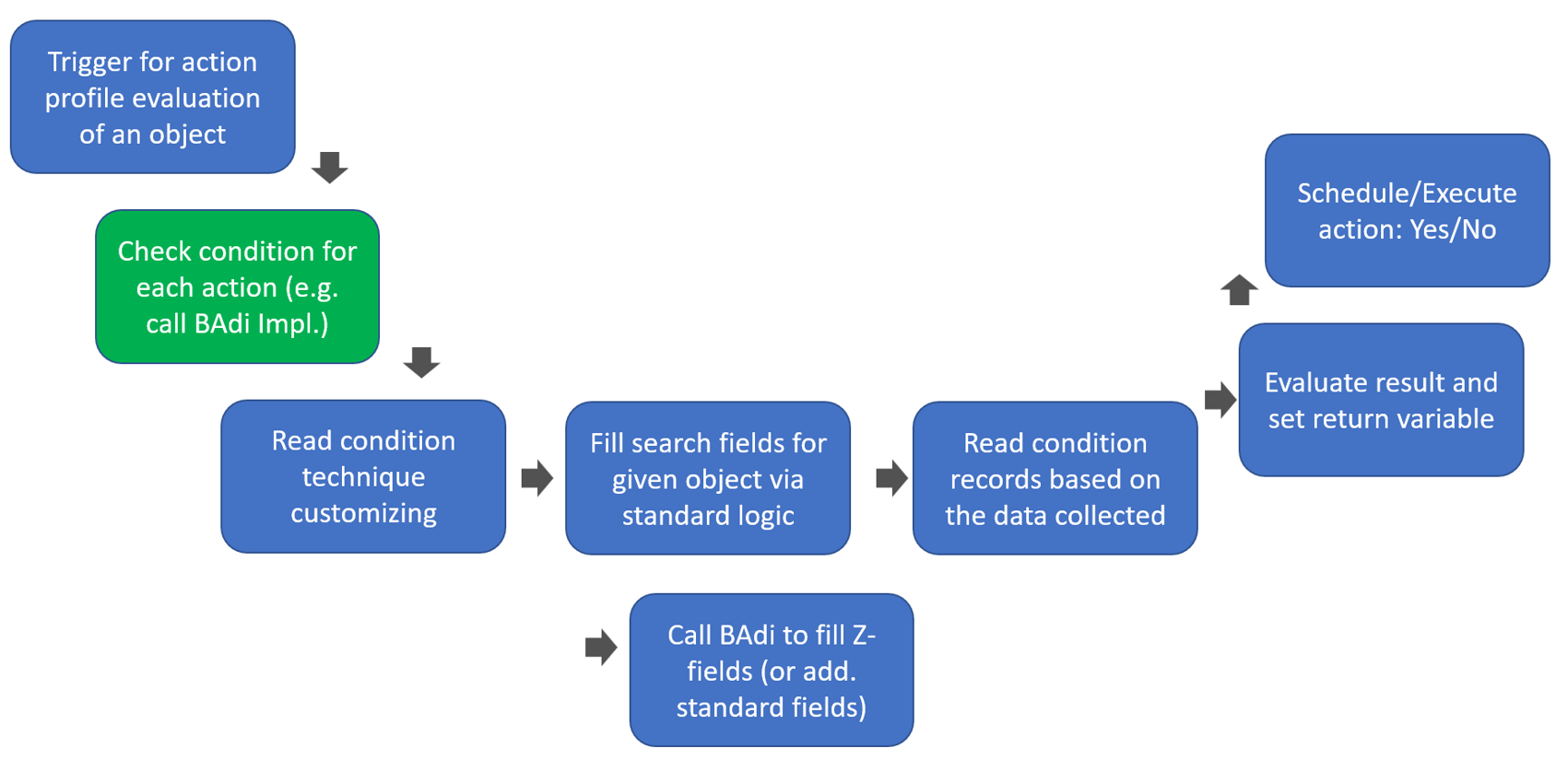
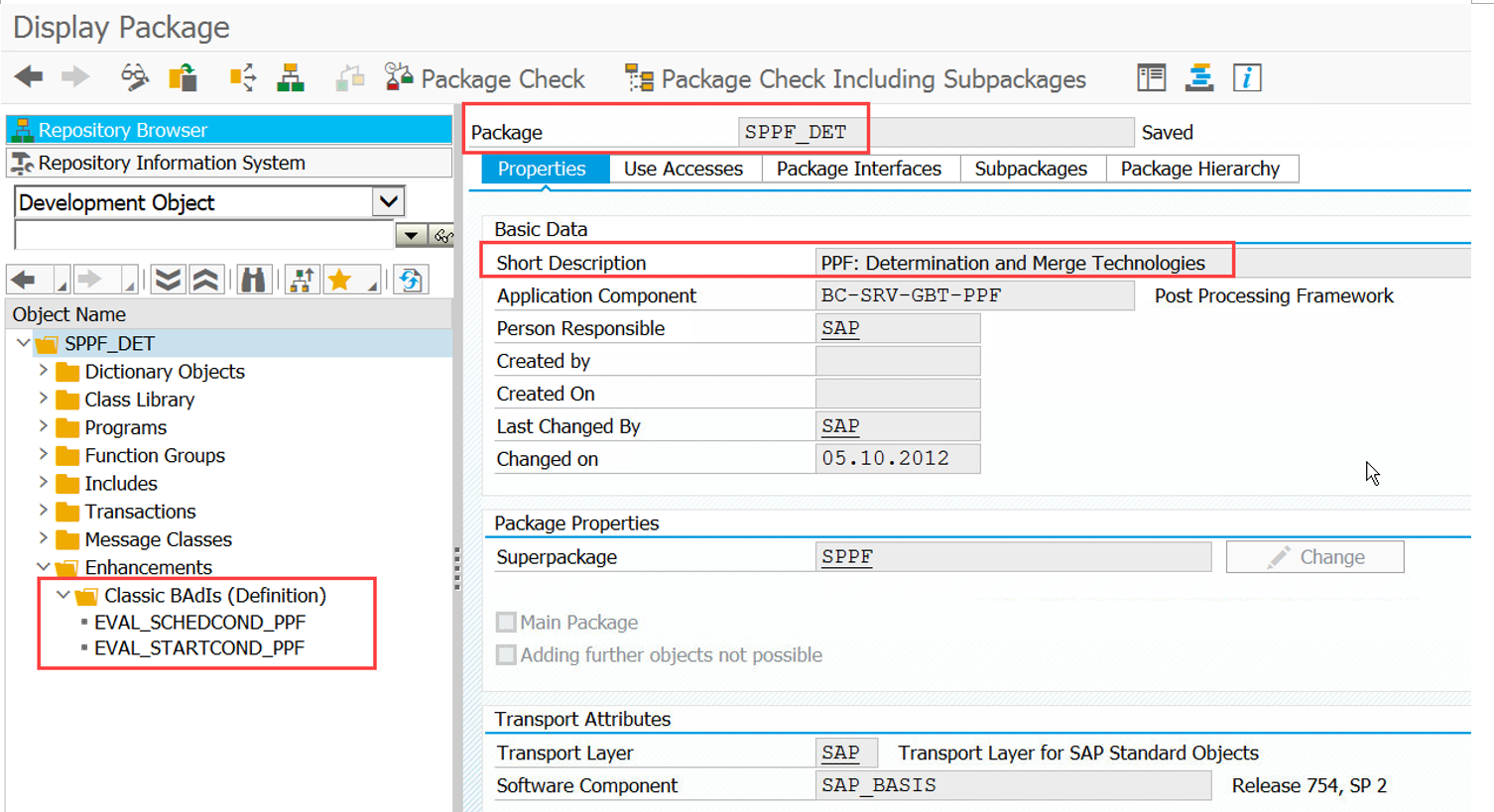
Important: Not only Z-conditions but also all standard conditions are delivered as implementations of those BAdis. E.g. SAP standard delivers around 90 classes using the interface of the scheduling BAdi:
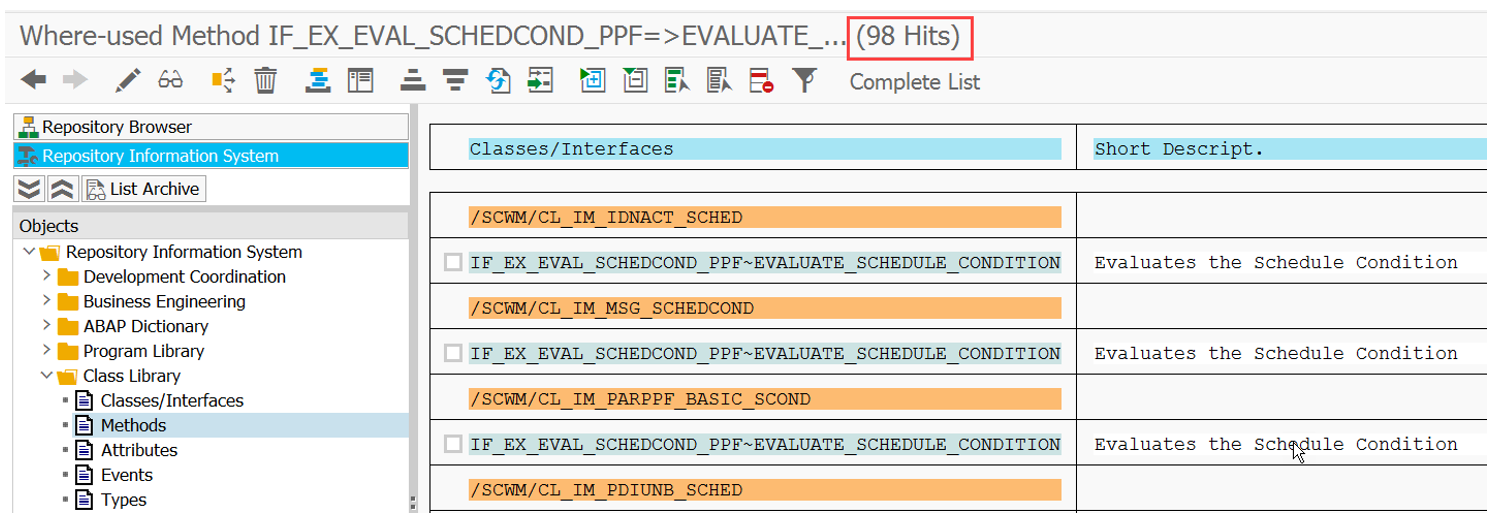
As mentioned above, with this blog post I want to focus on how EWM implements conditions based on condition records. For this purpose it is neither relevant whether those records are evaluated in the context of a schedule or a start conditions. Nor is it relevant whether those records are being evaluated in the context of scheduling for the application area of ‘Warehouse Requests’, ‘Warehouse Management Engine’ or any other area. Of course the approach of collecting data ahead of reading the condition tables is slightly different but I will come to this once we reach that point. For now, let us concentrate on our example in the context of scheduling an action for a warehouse request.
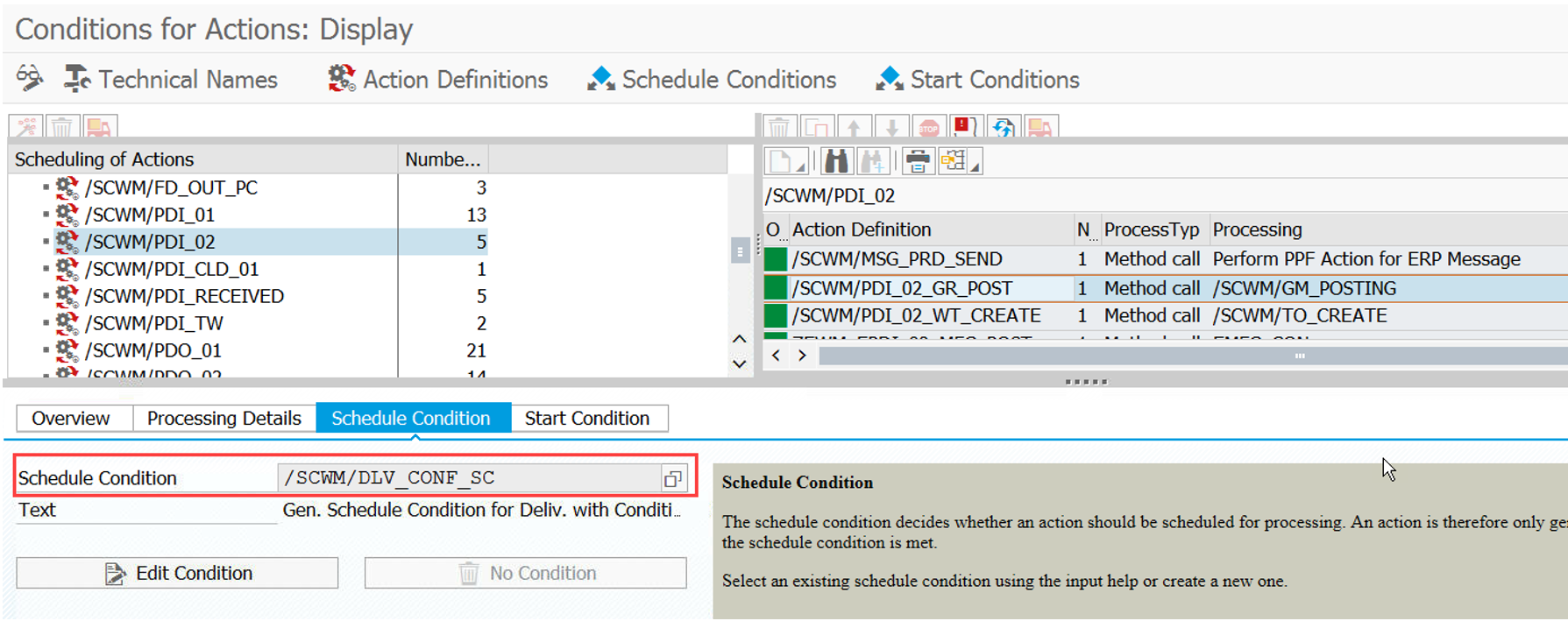
We take the action for the automatic GR posting of inbound deliveries. Via transaction SPPFCADM we can find a filter value which is assigned to a PPF action. The filter is used during runtime in order to determine the relevant implementation of the BAdis shown above (so in case you want to implement your own scheduling logic, you only need to create a new implementation of the BAdi and assign a different filter value here):
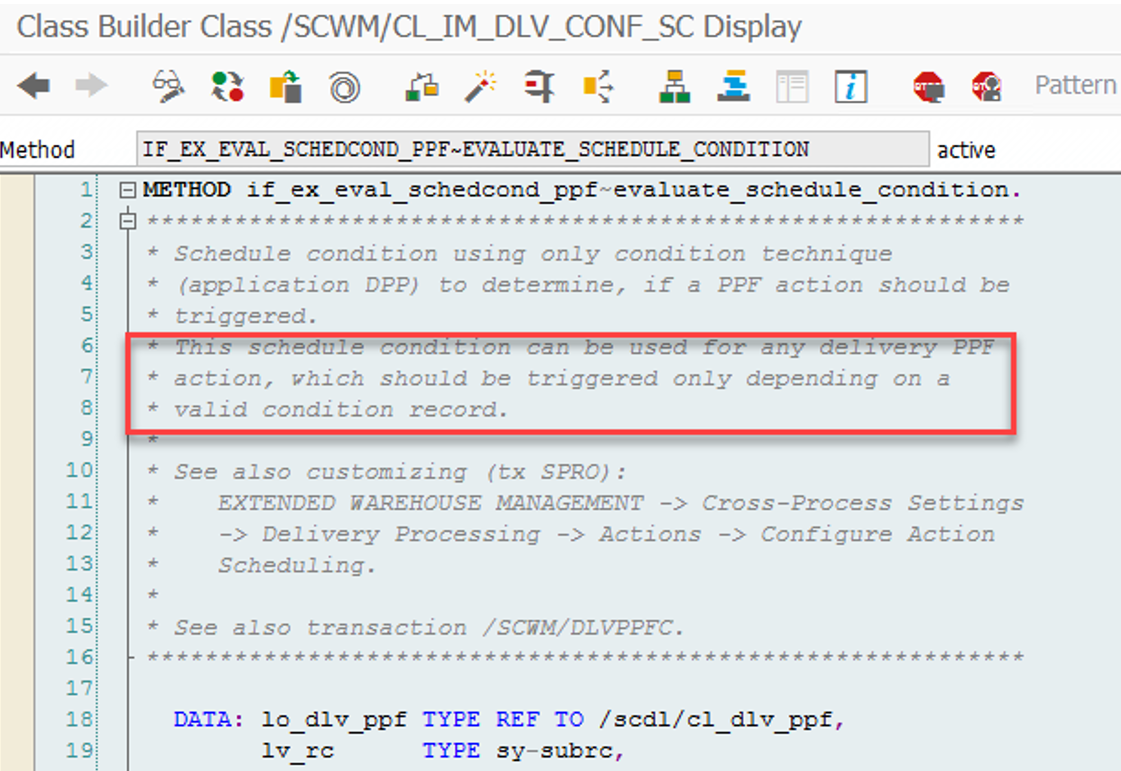
Let us now have a detailed look at one standard implementation in order to understand how EWM evaluates the condition records:
Both (scheduling & start condition) use the same method to read the condition technique customizing. In the context of deliveries/warehouse requests this is class/method /SCWM/CL_DLV_PPF_CONF-EVALUATE:
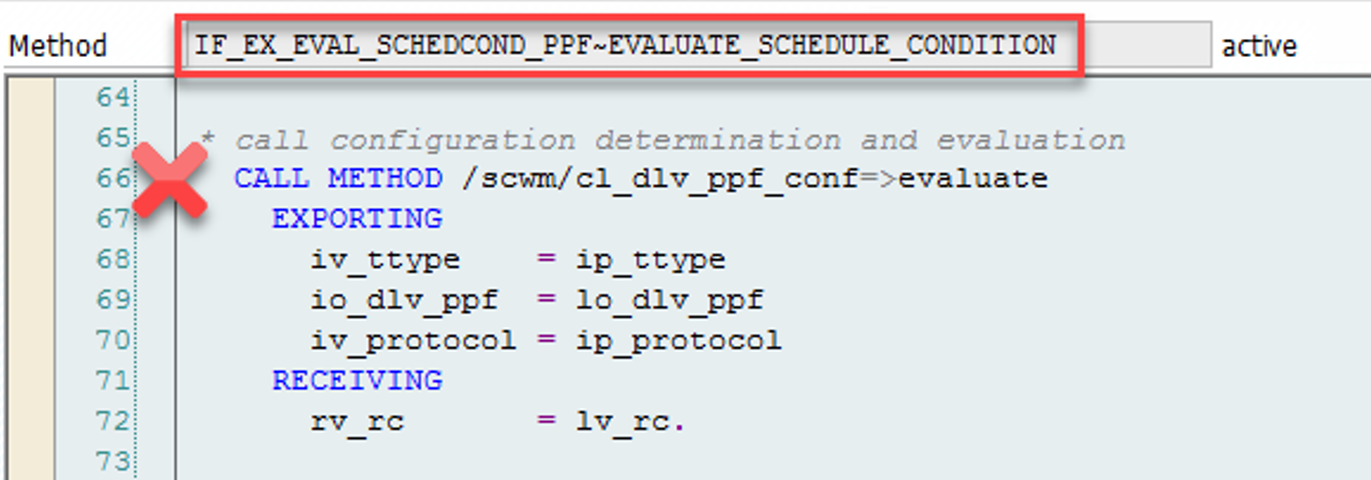
There are lots of other examples for implementations where this method is being called but the one above should be enough for now to have a good understanding of the context. So what is our EVALUATE method actually doing here?
Looking at it from the outside, this method is responsible to fill its return variable rv_cv. The variable is filled based on the result of the condition record determination in the following way:
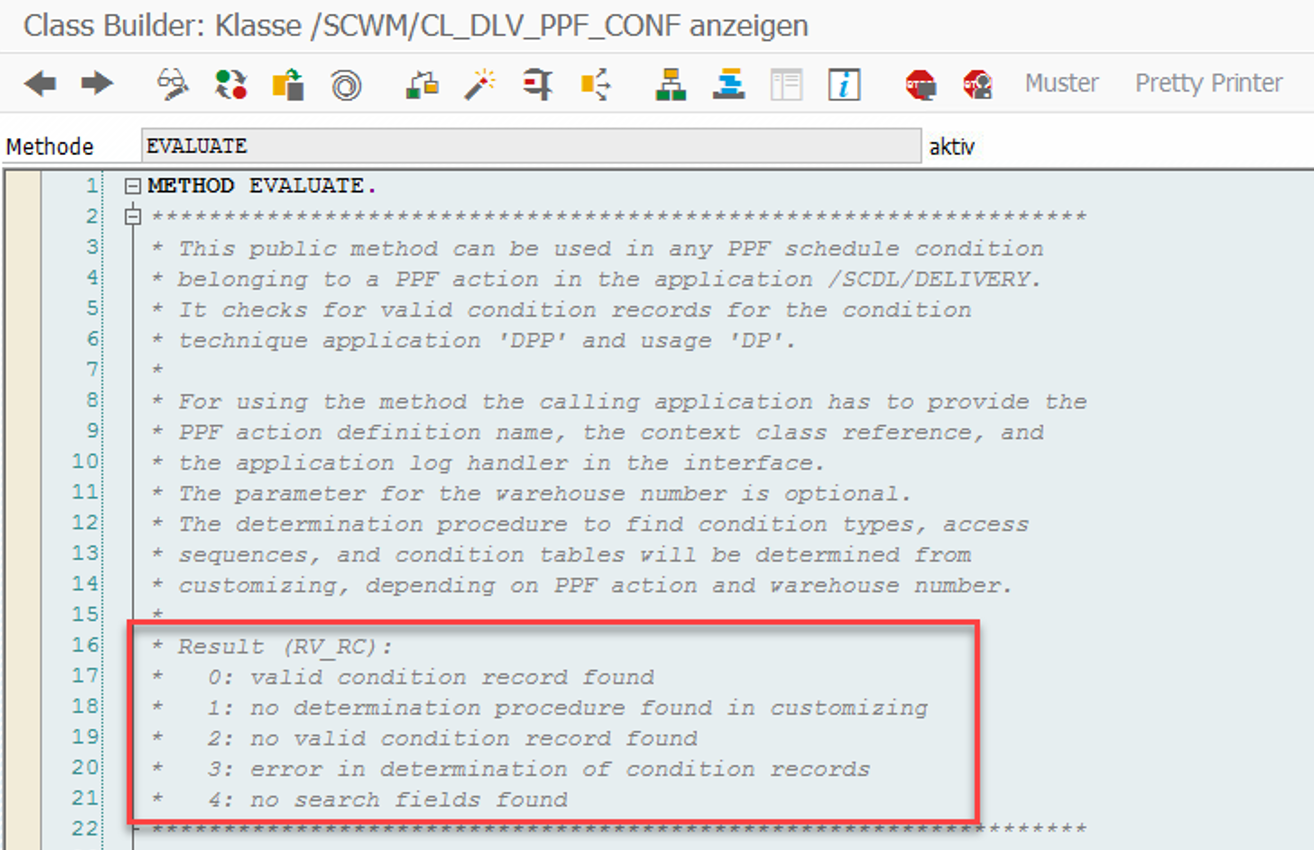
Subsequently, it decides about the value of the exporting parameter in the interface method of our BAdi:
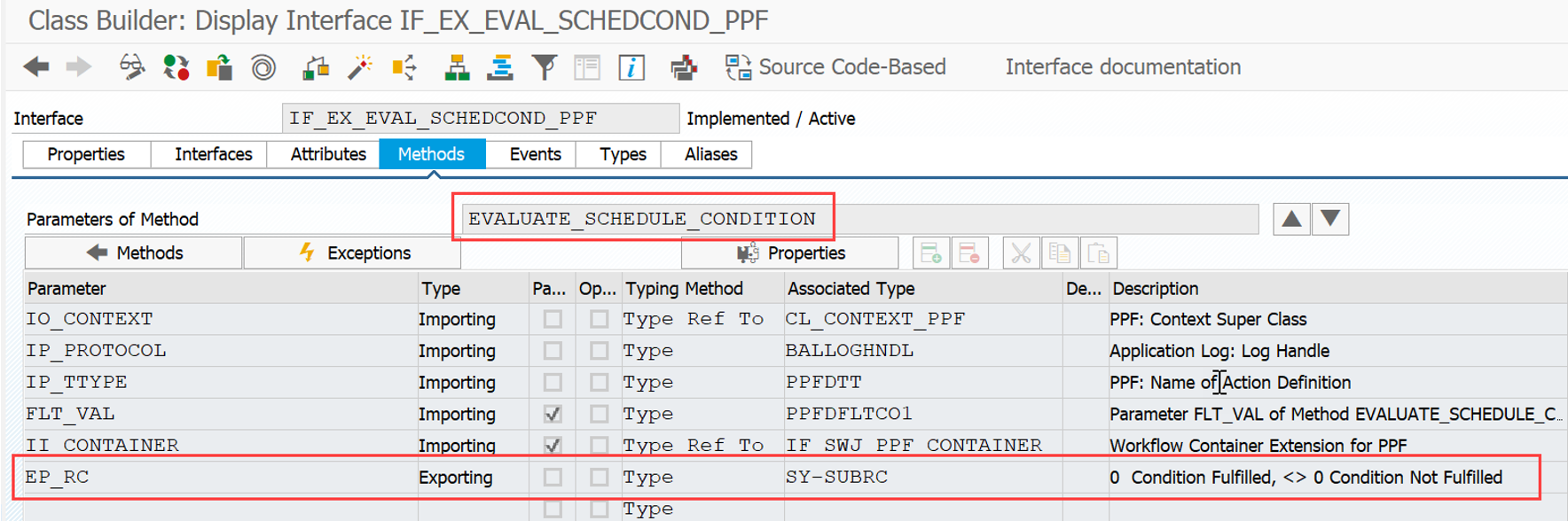
That should be understandable already for everybody who has been in touch with the condition technique in the past. Let us now look at it from the inside – time for a code-review!
Read the condition technique customizing
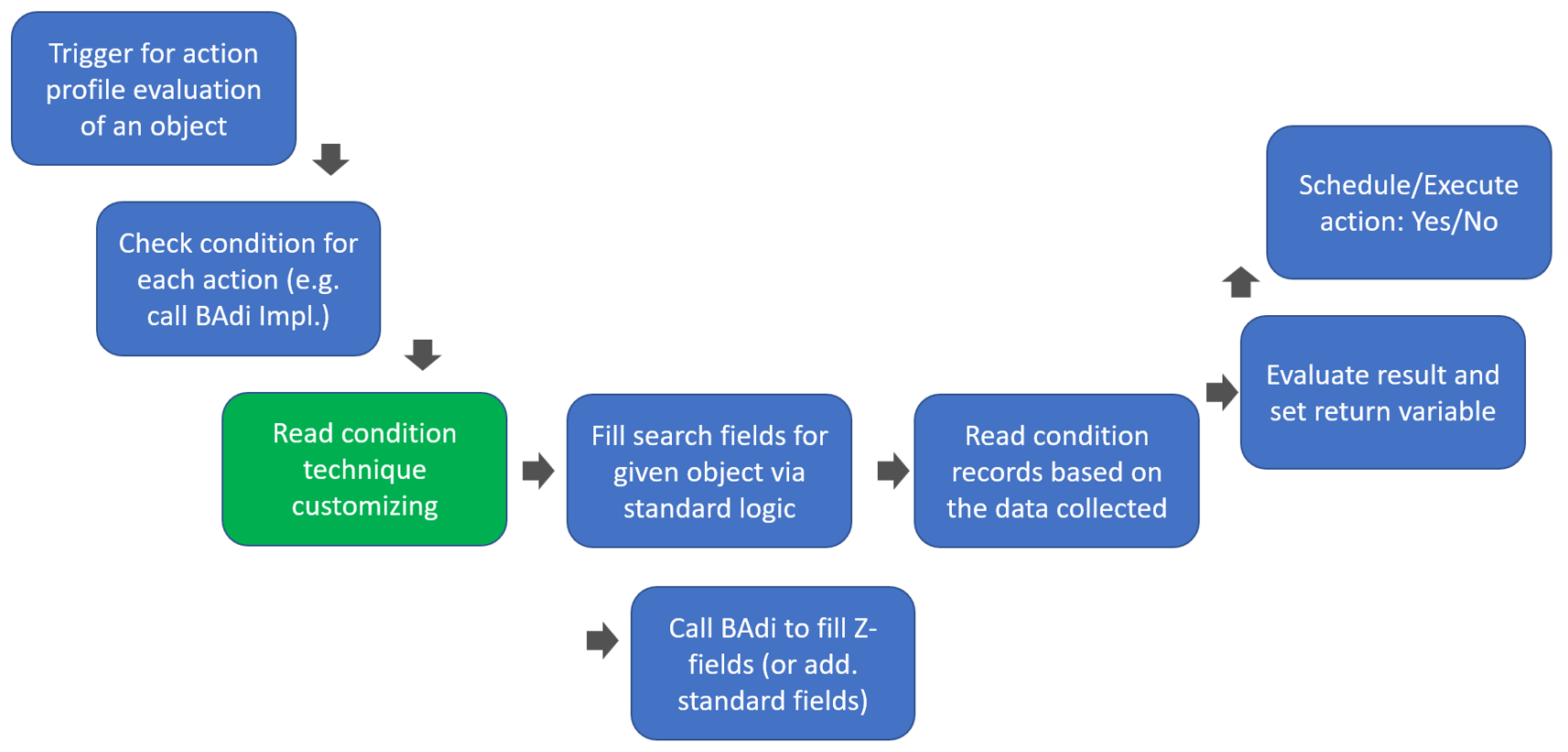
The most important settings here are the determination procedure and the relevant search fields.
- The determination procedure is required in order to determine the condition types
- The condition types are required in order to determine the access sequences
- The access sequences carry the condition tables and the relevant search fields
And those search fields need to be determined upfront in order to prepare the respective values for the given object (e.g. the document type of a warehouse request) so that these values can later be compared with values from the condition records.
The data is determined via the methods get_detproc and get_searchfields:
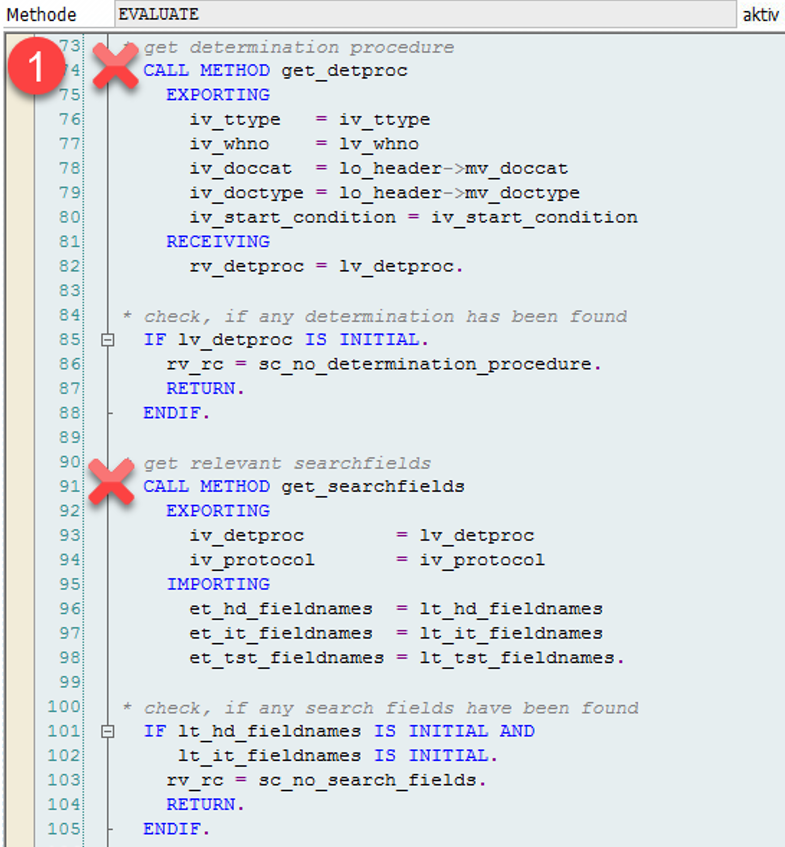
The two constants in line 86 and 103 might set the return variable to 1 or 4 respectively, in case one of the methods did not return any result (~ no determination procedure assigned to the given warehouse request type or no search fields found based on the determination procedure).
So how do we make sure that we get a result here? Let us take a look into the corresponding customizing:
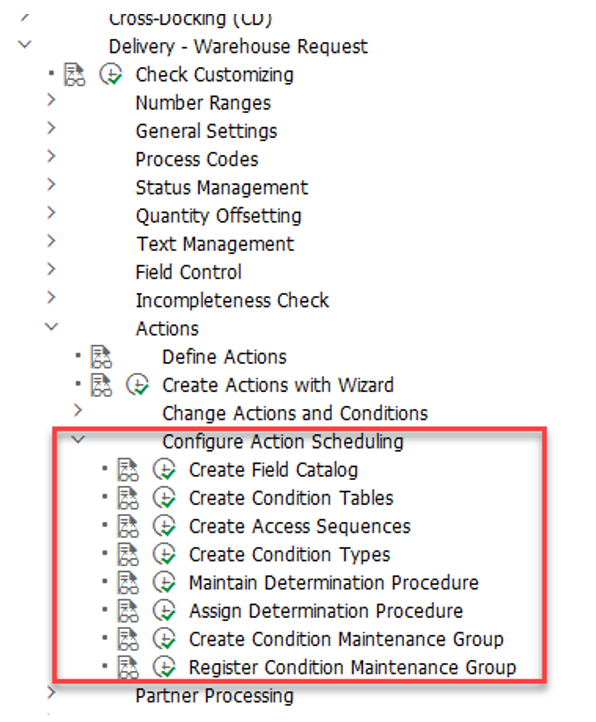
As mentioned above already:
- The determination procedure is required in order to determine the condition types
- The condition types are required in order to determine the access sequences
- The access sequences carry the condition tables and the search fields
For deliveries, the determination procedure is determined based on the action itself and the document data (category & type):
The condition types are assigned to the determination procedure and each condition type gets an access sequence:
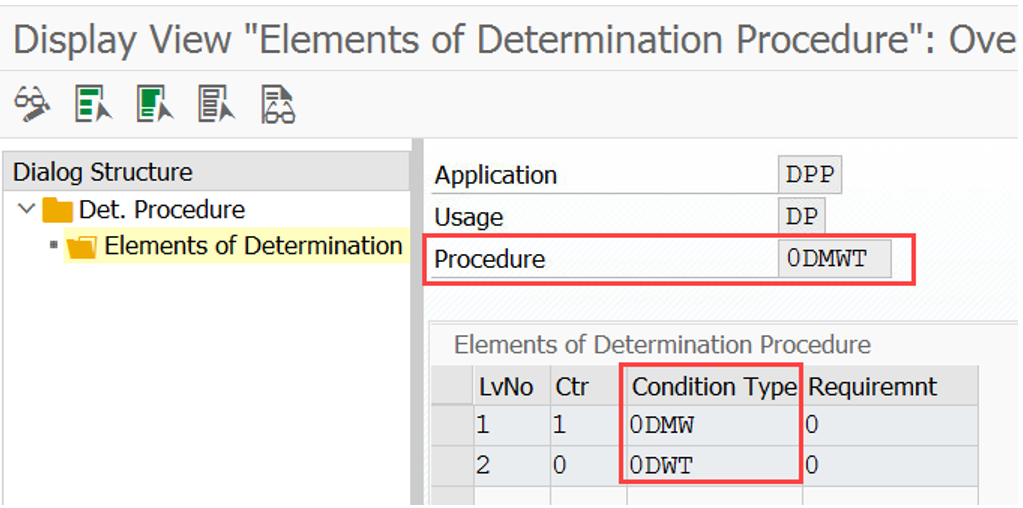
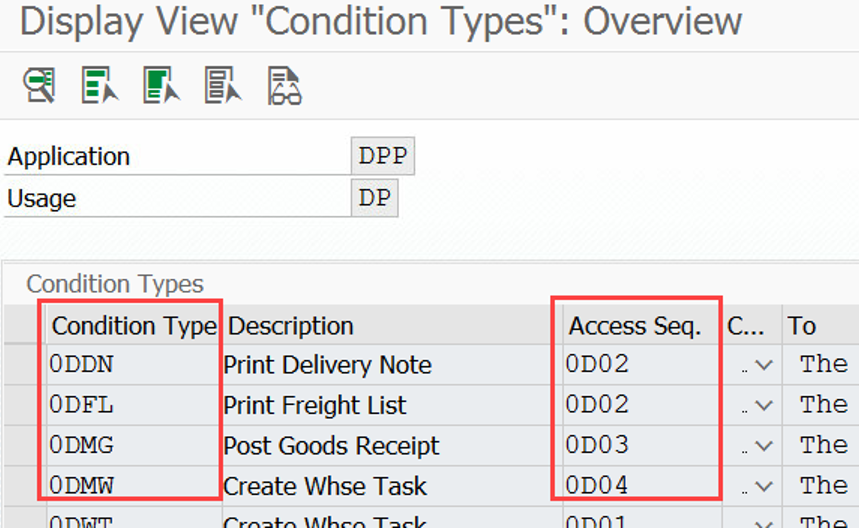
And the search fields are being determined based on the combination of access sequence and condition table:
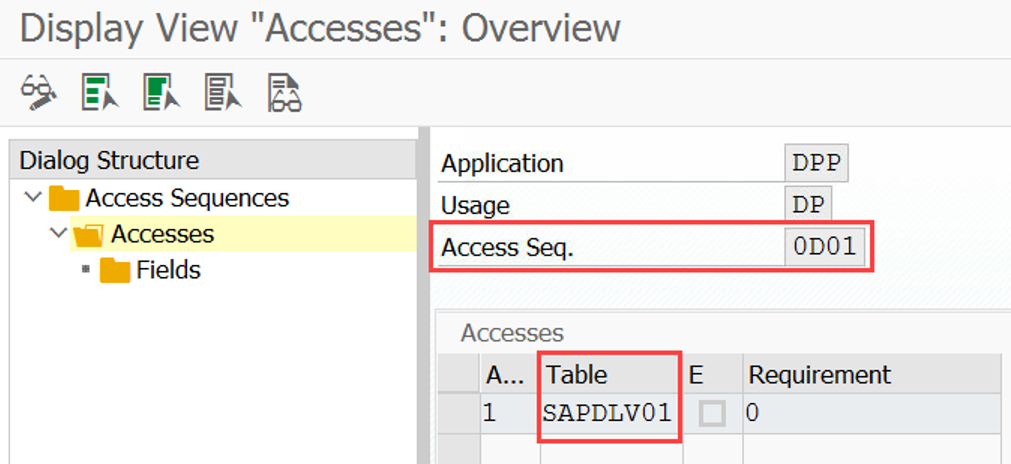
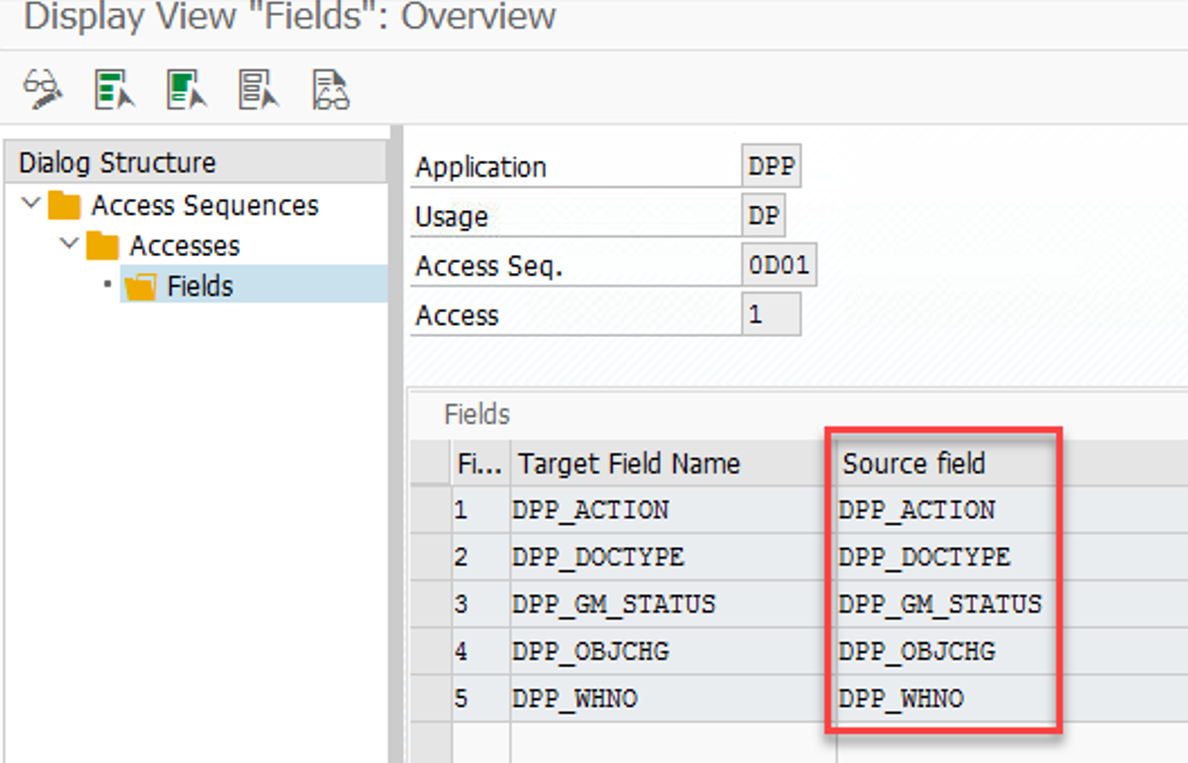
Determine the data for the search field based on the given object / delivery
We now know the relevant search fields so we need to fill them with data related to our object (e.g. the respective delivery document) in order to compare this with the values in the condition records later.
In the context of warehouse request condition evaluation this is done via method CREATE_REQUESTS of our class /SCWM/CL_DLV_PPF_CONF:
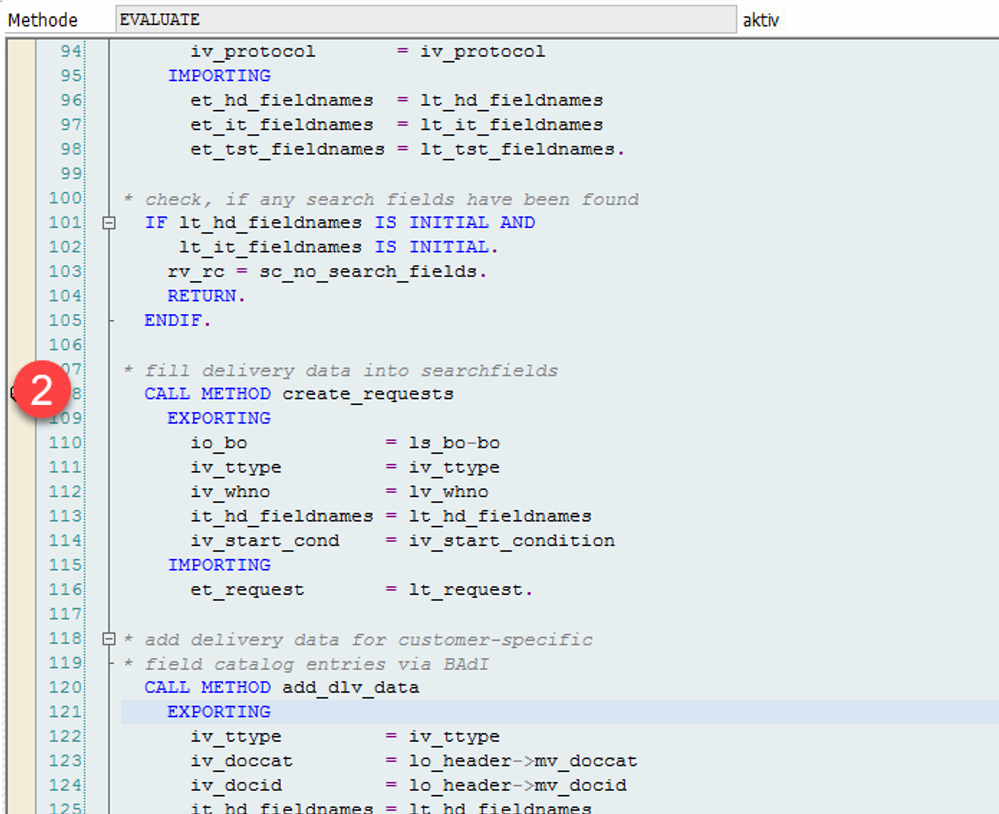
EWM standard collects the following data about our object here:
- Type & category
- Warehouse number
- Source/destination partner/locations
- Means of transport
- Door (if unique for all items)
- Goods movement bin (if unique for all items)
- Statuses
Important to highlight here is the technical difference between the way of reading the statuses between scheduling and start conditions.
Start condition: method get_statuses
Schedule condition: method get_status_flips
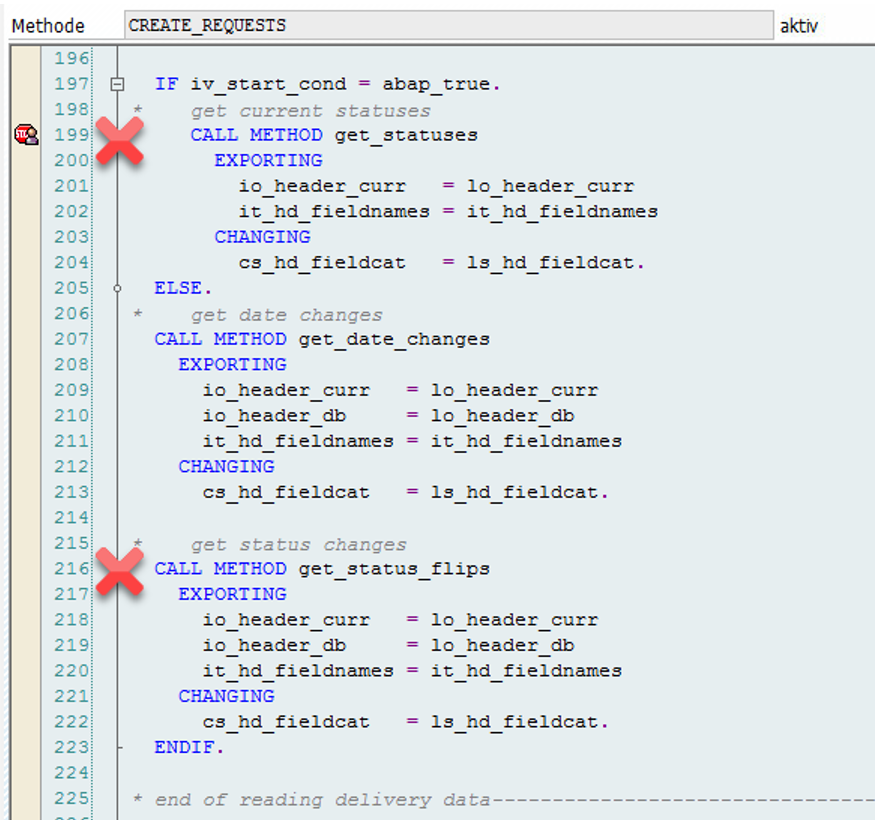
From technical point of view, there is a big difference between the schedule and start condition. On the one hand, schedule conditions use data from memory and are evaluated before the main process updates the database from the memory. On the other hand, start conditions are evaluated when the database is already updated and they use data from there. (SAP Note 1461585)
Thus, checking the schedule conditions means checking the transient object states. Checking the start conditions means checking the persistent object states. Schedule conditions use status changes, which are calculated from the status in the database and the status in the memory. Start conditions read the status in the database once the main process is completed.
In general it is always better to use start conditions in case any kind of status is involved as with the calculation during runtime for schedule conditions EWM sometimes does not load all items of the delivery into the memory (e.g. it calculates based on one item only which might not necessarily lead to the correct result on header level). For further details about the status calculation I recommend reading SAP note 1461585.
A quick look into the other application areas before we close this 2nd step. We learned now that for warehouse requests the object-related data for the relevant search fields is collected via method /SCWM/CL_DLV_PPF_CONF -CREATE_REQUESTS. For the other application areas the approach is quite similar –
- Handling Unit related PPF actions
- The interface method of the condition evaluation BAdi calls function module
/SCWM/SCHEDULE_COND_HU - This FM determines the search fields and fills the application data into the condition record search fields
- The interface method of the condition evaluation BAdi calls function module
- Physical Inventory related PPF actions
- The interface method of the condition evaluation BAdi directly determines the search fields and fills the application data into the condition record search fields
- Warehouse order related PPF actions
- The interface method of the condition evaluation BAdi calls function module
/SCWM/SCHEDULE_COND_WO - This FM determines the search fields and fills the application data into the condition record search fields
- The interface method of the condition evaluation BAdi calls function module
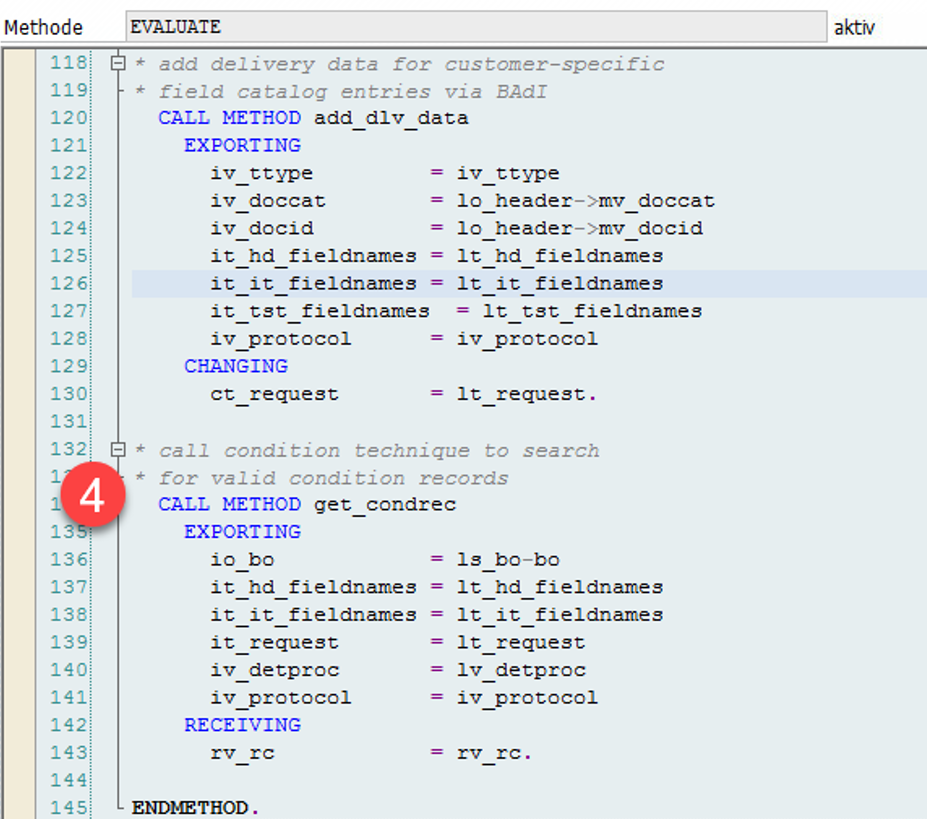
Fill fields which are not filled via standard logic
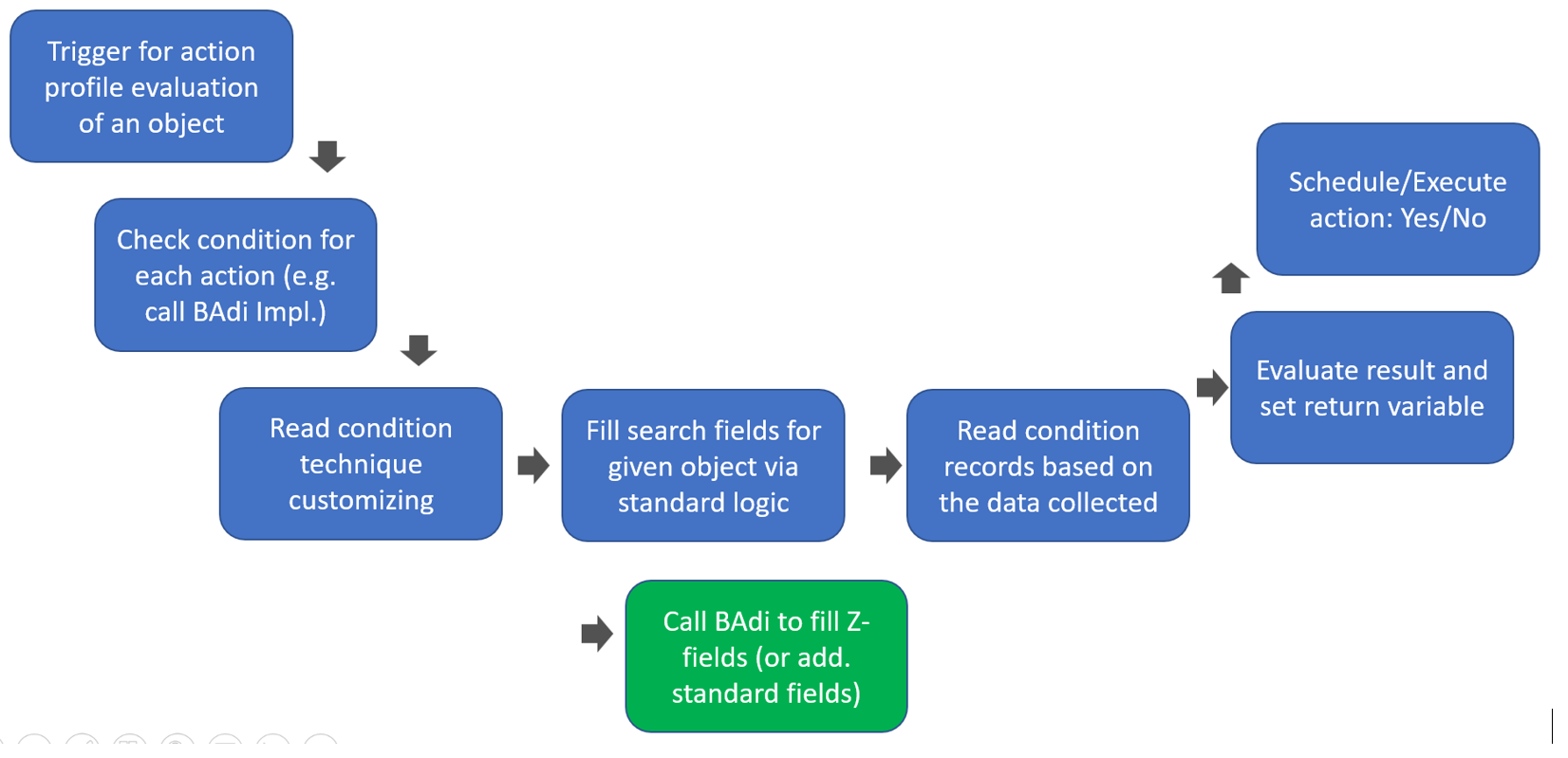
Within this important step we can add data via BAdi /SCWM/EX_DLV_PPF_CONF. This is for sure required in case we added Z-fields to the field catalogue and to the condition tables. Note that this could also be some standard fields as not all fields from the standard field catalogue are being filled by the standard methods mentioned under step 2.
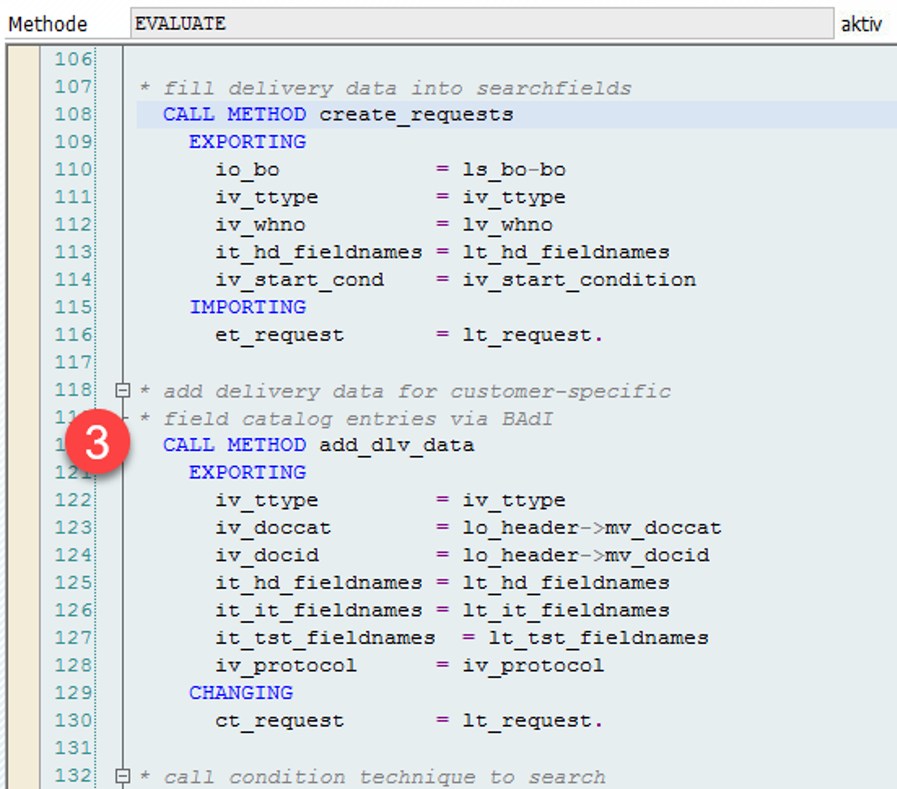
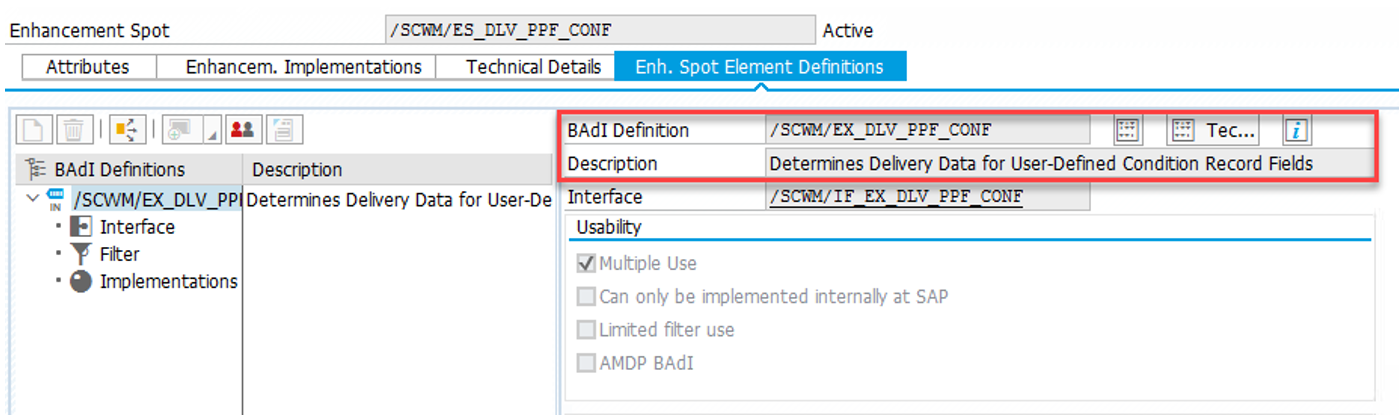
Check note 2739237 and class /SCWM/CL_EI_DLV_PPF_CONF_EXAMP-/SCWM/IF_EX_DLV_PPF_CONF~ADD_CATALOG_FIELDS to get some insights into an example implementation for this BAdi (the example shows how to fill the field value for the DPX status on the delivery header).
Again, a quick look at the other areas before we close this step:
- In the context of HU-related PPF actions additional fields can be filled via BAdi
/SCWM/EX_PRNT_CCAT_HU - In the context of PI-related PPF actions additional fields can be filled via BAdi
/SCWM/EX_PRNT_CCAT_PI - In the context of WO-related PPF actions additional fields can be filled via BAdi
/SCWM/EX_PRNT_CCAT_WO
Read condition records based on the data collected in the previous steps
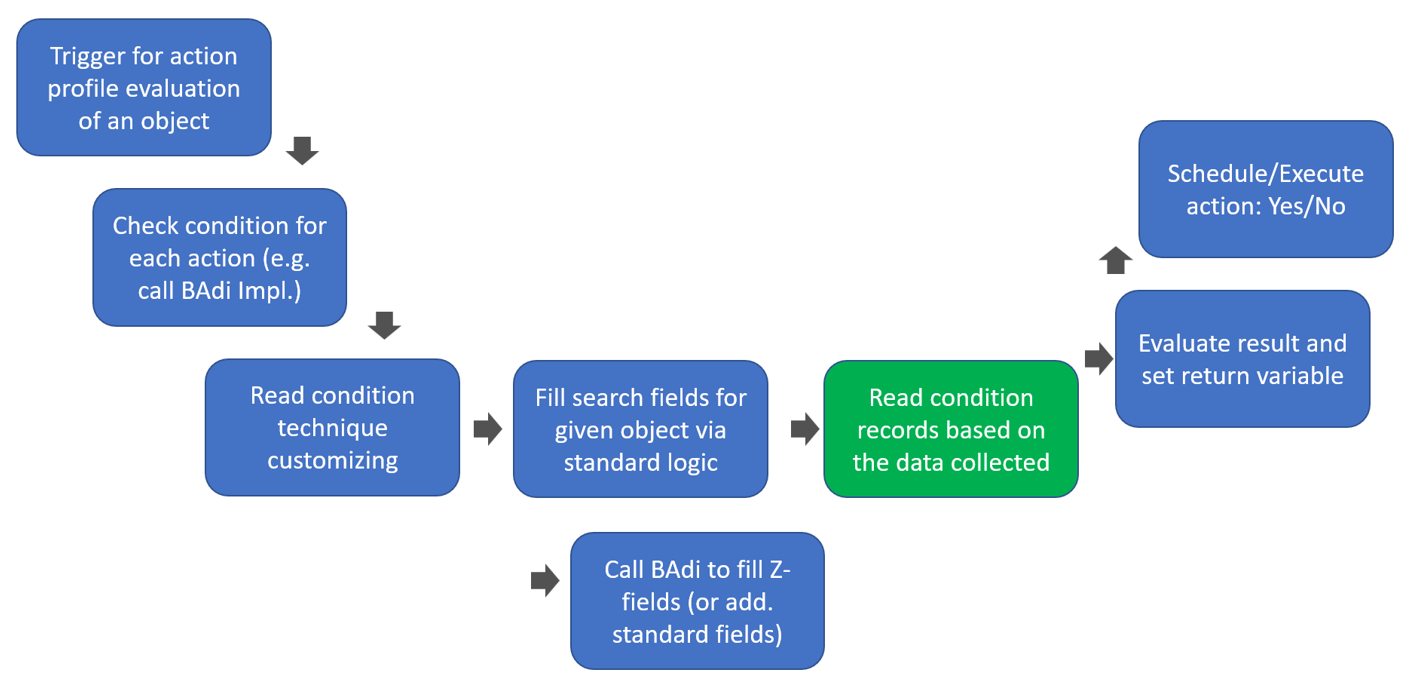
Here we finally read the condition records. EWM uses all data collected within the previous steps to collect all records where the content matches the characteristics of the given object:
- Tables with the field names
- Request- / object-related data
- Determination procedure
Based on the records that where found, EWM sets the return variables:
Function module IPC_CT_CNF_DETERMINE_MULTI is the most important player in this context. It is being used to read condition records in the context of all different applications mentioned in this blog post (~ for warehouse requests and in the same way for HU, WO or PI related actions).
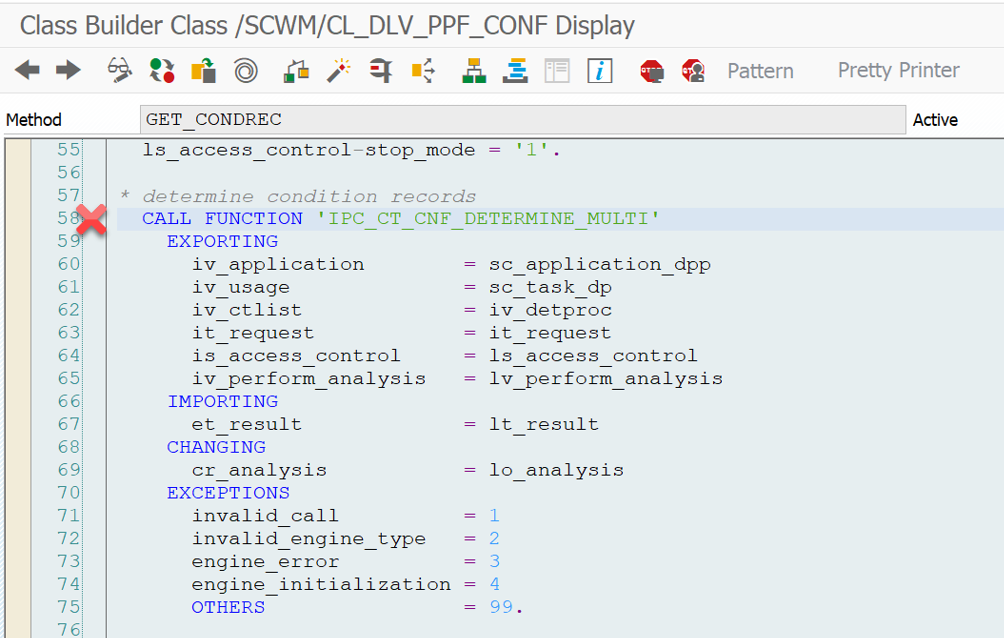
I do not want to dig deep into the content of this function module. A detailed code-review does not add any value here from my perspective. In summary - it compares the imported data listed above with the values in the condition records of the relevant condition tables. The result is returned via table lt_result (see screenshot above). It is then further processed/evaluated in order to set the value of the return variable of the evaluation method and subsequently the parameter EP_RC in the interface method of the BAdi for the schedule or start condition.
Remember the screenshots that I showed you at the beginning of this post already:
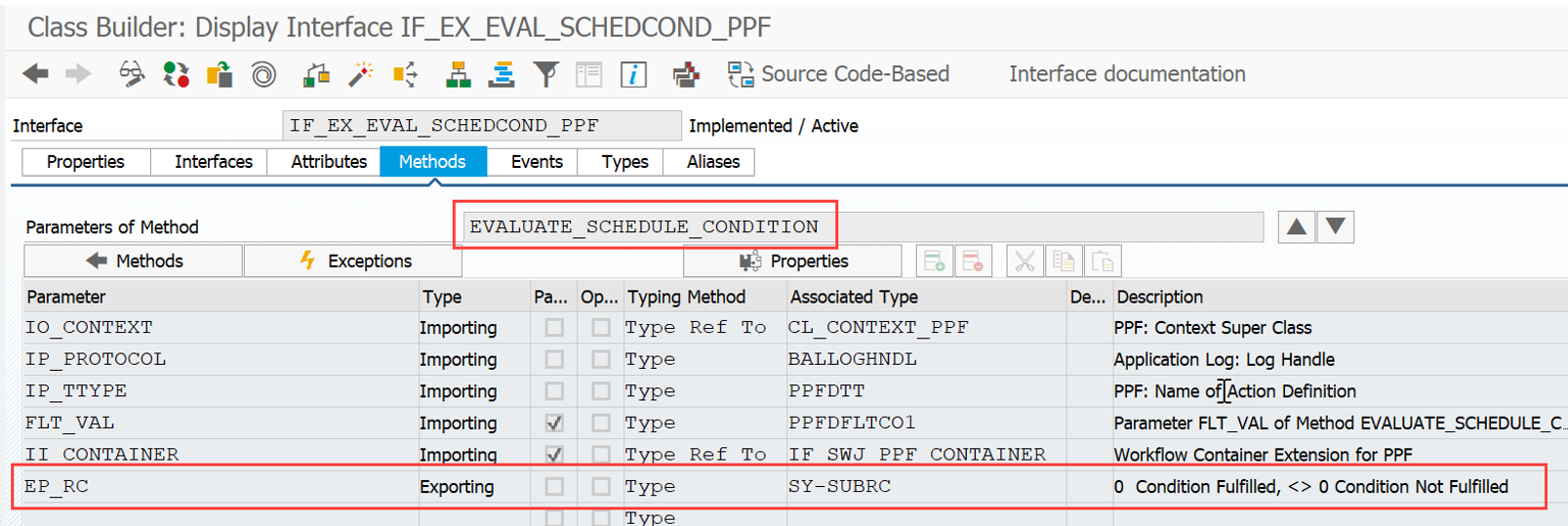
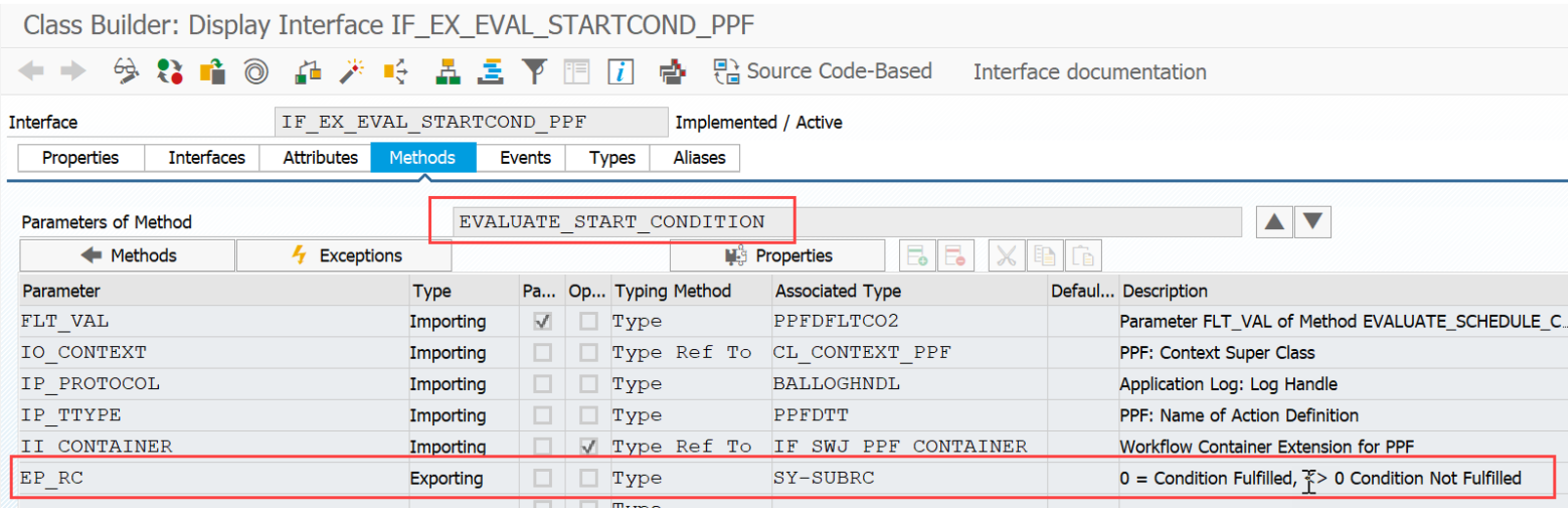
This should subsequently close the loop which
- started with the trigger of an evaluation for PPF action scheduling/starting
- executed a comparison between application object related data and the condition records
finally saved the decision about this in the exporting variable of the BAdi for scheduling or start conditions
I hope you could learn something and I could shed some light on how EWM evaluates condition records in the context of the Post Processing Framework.
📧 Newsletter
Get updates about new blog posts directly in your inbox.
▶️ YouTube Channel
Subscribe to my channel for regular tutorials & insights about SAP EWM.