The purpose of wave management & resource management
In SAP EWM, a warehouse request is the fundamental unit that triggers warehouse activities. When goods arrive or need to be moved within a warehouse, a warehouse request is created. This request contains multiple warehouse request items, each representing a specific quantity of material to be processed.
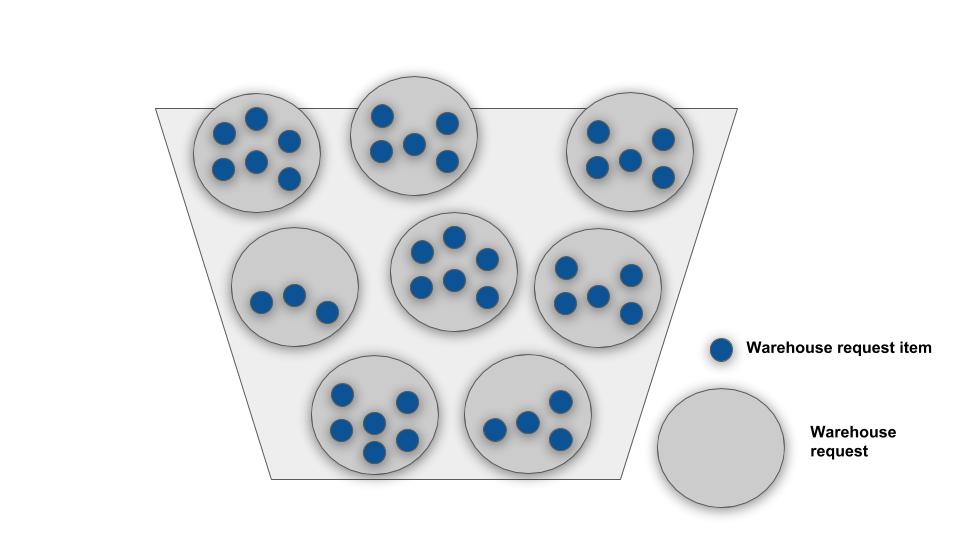
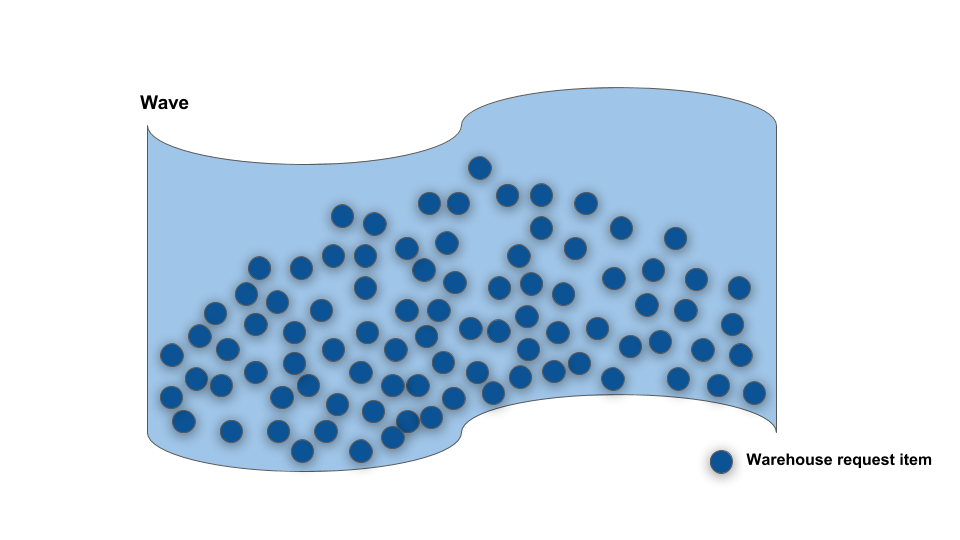
A wave in SAP EWM is a collection of warehouse request items that are processed together. Instead of processing each warehouse request item individually, waves allow us to group related items and execute them as a batch. This improves efficiency and enables better resource utilization.
The wave concept is built on the foundation of warehouse requests. When you create a warehouse request with multiple items, you're essentially providing the raw material for wave creation. The system then determines which warehouse request items should be grouped together into a single wave based on specific criteria.
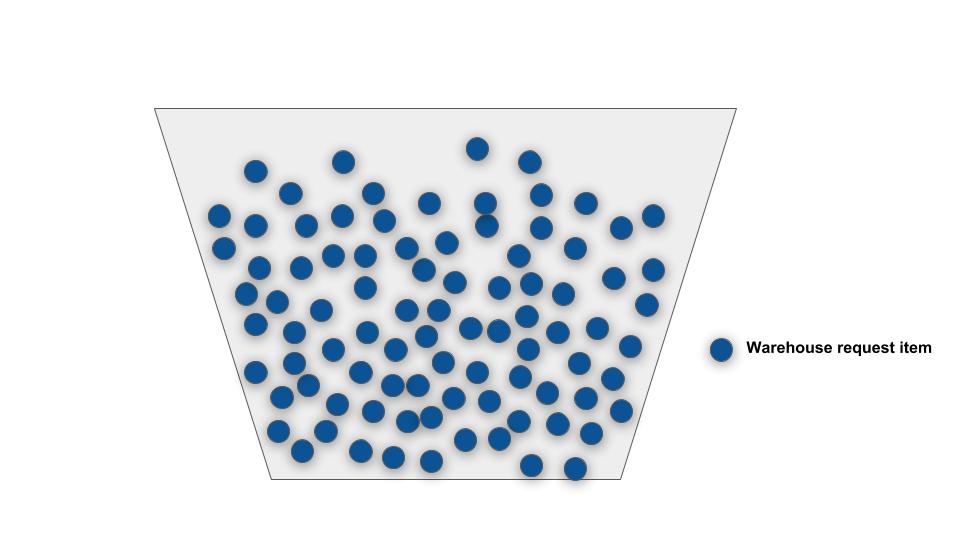
Wave templates define the rules for grouping warehouse request items into waves. A wave template contains one or more wave template options, each representing a different schedule or configuration for processing.
Think of it like an assembly line:
- The wave template is the assembly line itself
- The wave template option is a specific shift or configuration of that line
- The actual wave is a batch of products being processed on that line during a specific time window

SAP EWM uses the condition technique to automatically determine which wave template should be applied to each warehouse request item. The system evaluates conditions such as:
- Source activity area
- Warehouse process type
- Delivery route
- Document type
- Delivery priority
- Destination activity area
Based on these conditions, the system assigns the most appropriate wave template to each warehouse request item. Once the wave template is identified, the system then determines which wave template option within that template best matches the planned Good Issue (GI) date of the delivery.
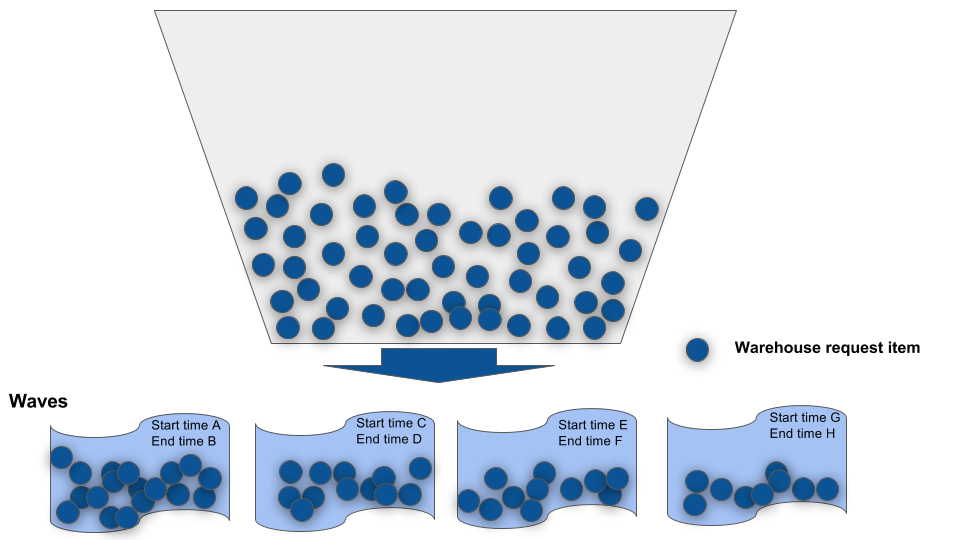
Once a wave is released, SAP EWM creates warehouse orders for each warehouse request item in the wave. A warehouse order contains all the necessary operations (pick, pack, stage, load) needed to fulfill that warehouse request item.
The sequence and timing of these warehouse orders are determined by:
- The wave template option's processing times
- The resource availability (workers, equipment)
- The warehouse layout and process flow
Resource Management is the process of assigning appropriate resources to perform warehouse orders. Resources include:
- Human Resources: Warehouse workers with specific skills and availability
- Equipment: Picking carts, forklifts, pallet jacks
- Zones/Areas: Specific warehouse locations where work must be performed
The resource management system ensures that each warehouse order is assigned to the right person or equipment at the right time, based on:
- Resource availability and workload
- Resource qualifications and certifications
- Process requirements and dependencies
- Work sequence and priorities
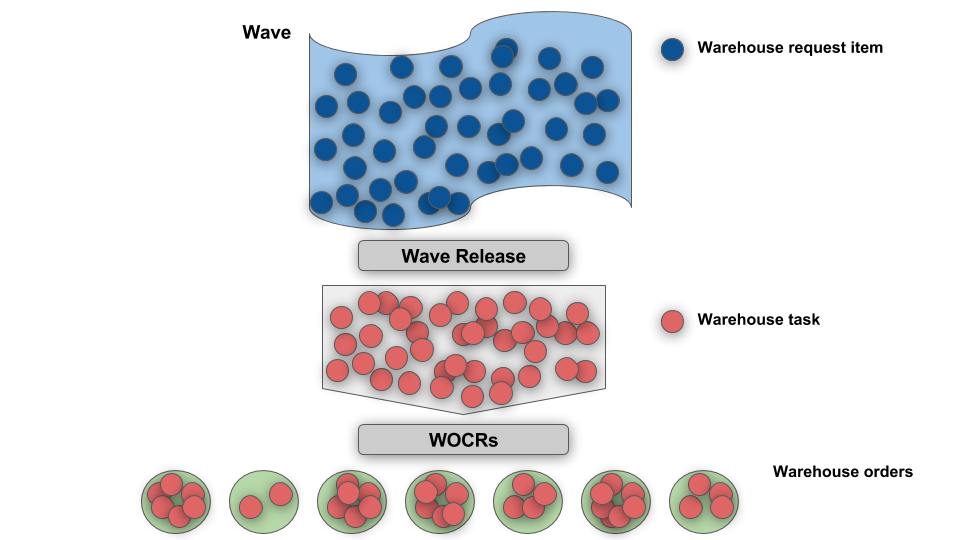
Resource queues are temporary storage areas for warehouse orders waiting to be processed by a specific resource. When a warehouse order is ready for the next step in the process but the required resource is busy, the order moves into that resource's queue.
Resource queues help with:
- Managing work flow and preventing bottlenecks
- Prioritizing orders (FIFO, by priority flag)
- Tracking resource utilization
- Identifying workload imbalances
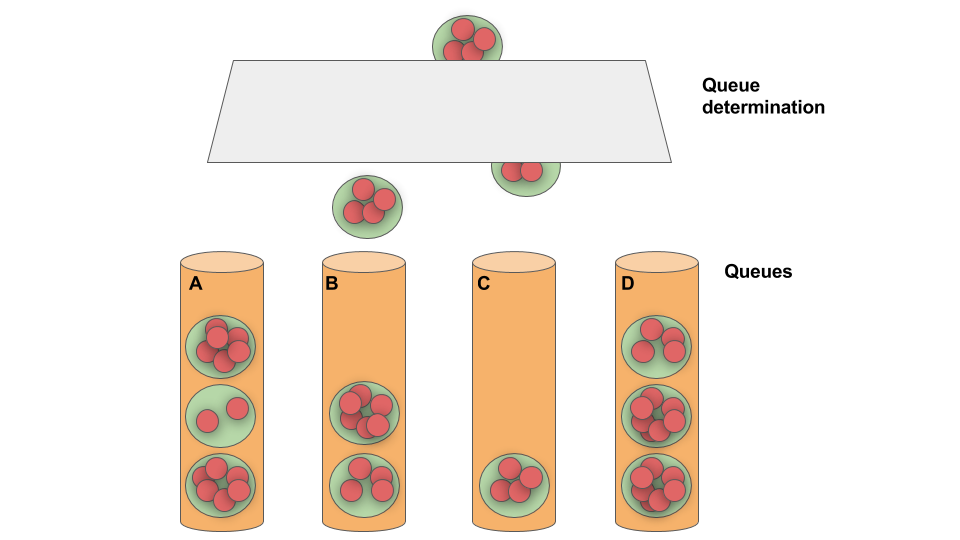
SAP EWM supports several resource types, each suited for different operational needs:
- Worker Resources: Individual warehouse employees who perform physical tasks
- Resource Group: A collection of workers who can share workload
- Equipment Resources: Machinery and tools used in the warehouse
- Activity Area Resources: Fixed locations in the warehouse where specific activities occur
Each resource type has specific characteristics and can be filtered using resource requirements defined at the warehouse order or process level.
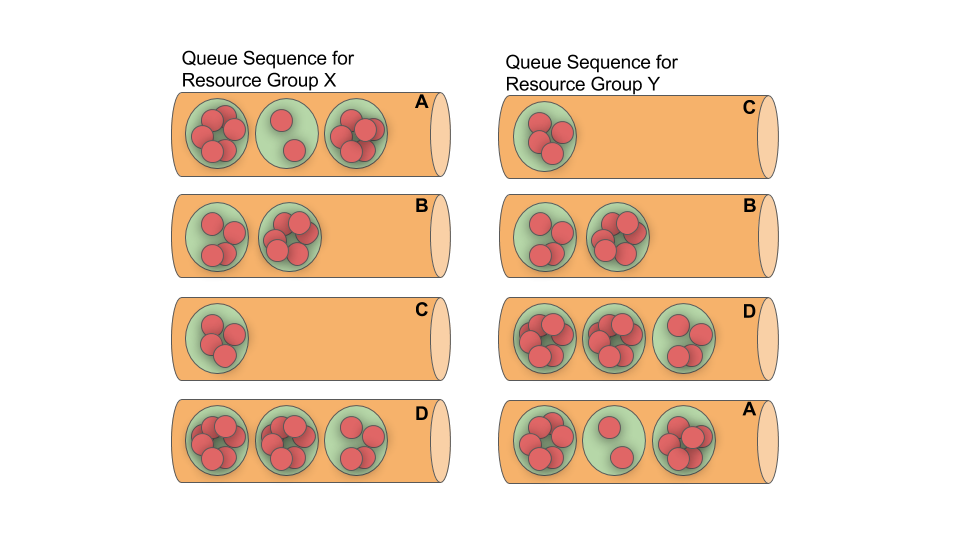
Resource filtering is the mechanism that determines which resources can work on which warehouse orders. Filters are defined based on:
- Resource ID or resource group ID
- Activity area or location
- Equipment requirements
- Skill or certification requirements
- Time-based constraints
When a warehouse order is ready for execution, the system applies these filters to identify all eligible resources. The resource management engine then assigns the order to the most appropriate available resource.
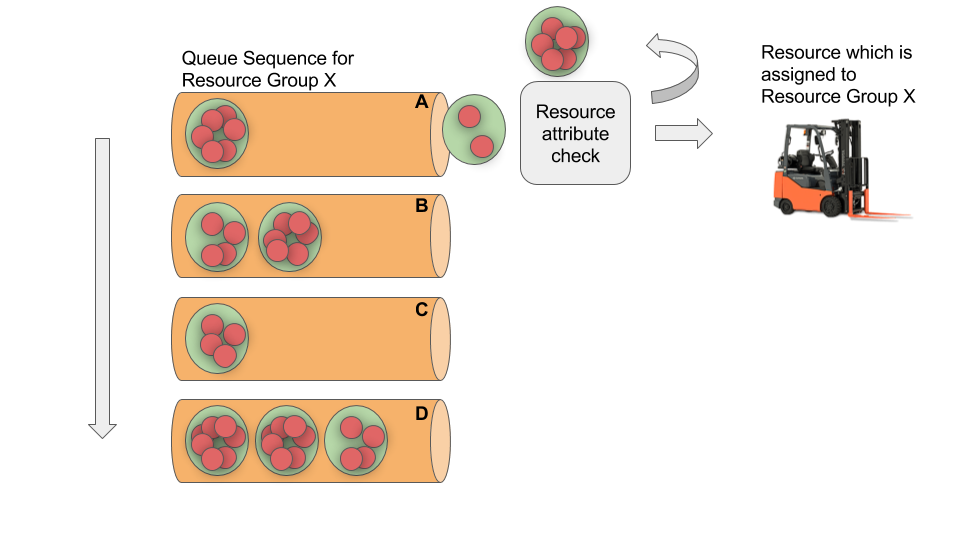
Here's how wave management and resource management work together in a complete warehouse operation:
- Warehouse Request Creation: An inbound or outbound process triggers a warehouse request with multiple items
- Wave Determination: The system uses conditions to assign an appropriate wave template to each item
- Wave Formation: Warehouse request items are grouped into waves based on template options and planned timelines
- Wave Release: The wave is released (manually or automatically) to create warehouse orders
- Warehouse Order Creation: Each wave item becomes a warehouse order with specific operations
- Resource Assignment: The system filters available resources and assigns them to warehouse orders
- Queue Management: Instructions wait in resource queues until the assigned resource is available
- Execution: Resources perform the assigned warehouse order operations
- Completion: Once all operations are complete, the warehouse request is fulfilled
By effectively managing waves and resources, SAP EWM enables warehouses to process goods efficiently while maintaining optimal resource utilization and meeting delivery commitments.
📧 Newsletter
Get updates about new blog posts directly in your inbox.
▶️ YouTube Channel
Subscribe to my channel for regular tutorials & insights about SAP EWM.